
How to Use Explainfile to Diagnose Backup Issues (Windows)
- 21 May 2024
- Print
- DarkLight
How to Use Explainfile to Diagnose Backup Issues (Windows)
- Updated on 21 May 2024
- Print
- DarkLight
Article summary
Did you find this summary helpful?
Thank you for your feedback
Backblaze provides a diagnostic tool called "Explainfile" that can help you troubleshoot files that were not accurately backed up.
Download and Use Explainfile
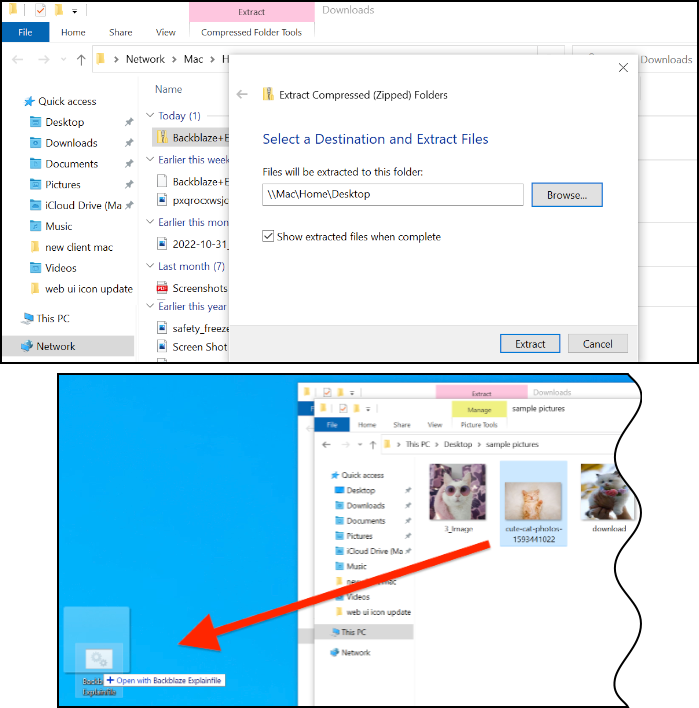
- Download Explainfile.
- Unzip and save the file.
- Drag and drop the file (not the folder) that is improperly backing up to the script. (The script is the Explainfile icon that is located where you saved the unzipped file). You cannot double-click the script.
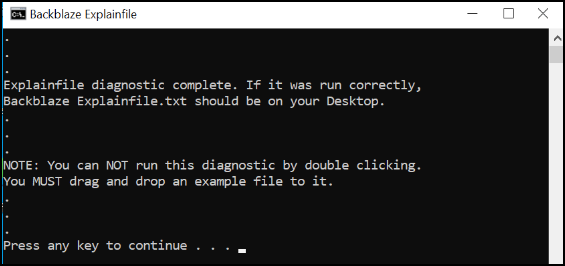
When the script completes, the following dialog is displayed and the file bzexplainfile is displayed on your desktop.
Was this article helpful?