
vLLM Object Storage Model Serving
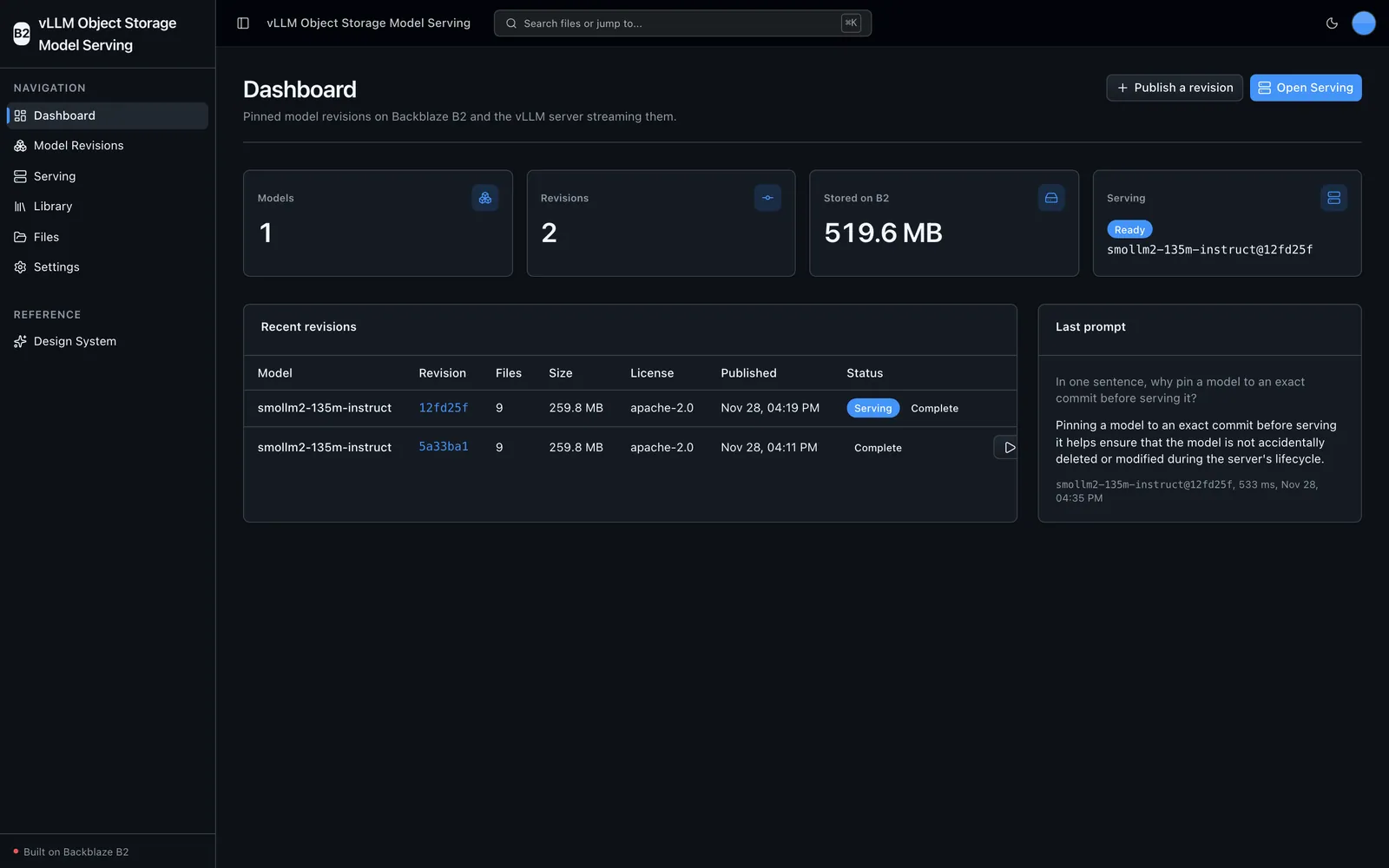
A FastAPI and Next.js sample that publishes Hugging Face models at an exact source commit to Backblaze B2 with a SHA-256 manifest, serves them with real vLLM streaming the weights over the S3 API through Run:ai Model Streamer, and switches the served revision by changing the prefix.
Built for: Developers and AI coding agents who serve open models with vLLM and want every exact model version kept in one bucket they control, loaded by a host with only a read-only key and a prefix.
What it's built with
Each piece of the stack, and the job it does in this project.
- vLLM 0.34.0
- OpenAI-compatible model server, run as a CPU container or on a CUDA host
- Run:ai Model Streamer 0.17.3
- Streams safetensors weights from the B2 prefix into memory over S3 range requests
- FastAPI (Python 3.12+)
- Control API and CLI for publishing, verifying, serving and switching revisions
- boto3
- Uploads, checksum verification, Library and bucket explorer over the S3-compatible API
- huggingface_hub
- Downloads a model repository at a pinned source commit
- Next.js 16 and React 19
- Dashboard UI with Tailwind v4, shadcn/ui and TanStack Query
- Docker
- Runs the pinned linux/arm64 vLLM CPU image
- Backblaze B2
- S3-compatible storage for every pinned revision and its manifest
Core capabilities
What the project does out of the box, before you write any code of your own.
Pinned revisions on B2
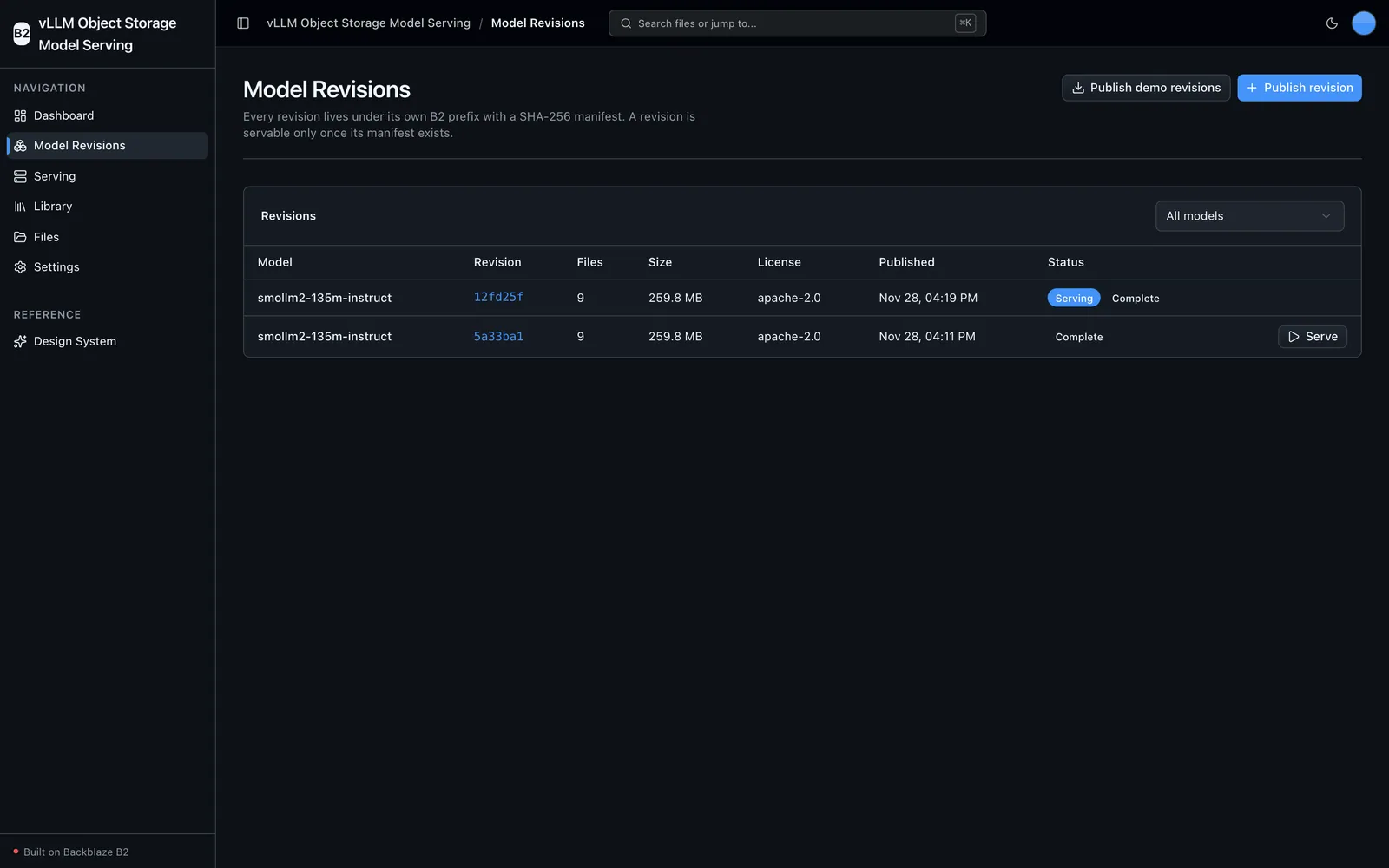
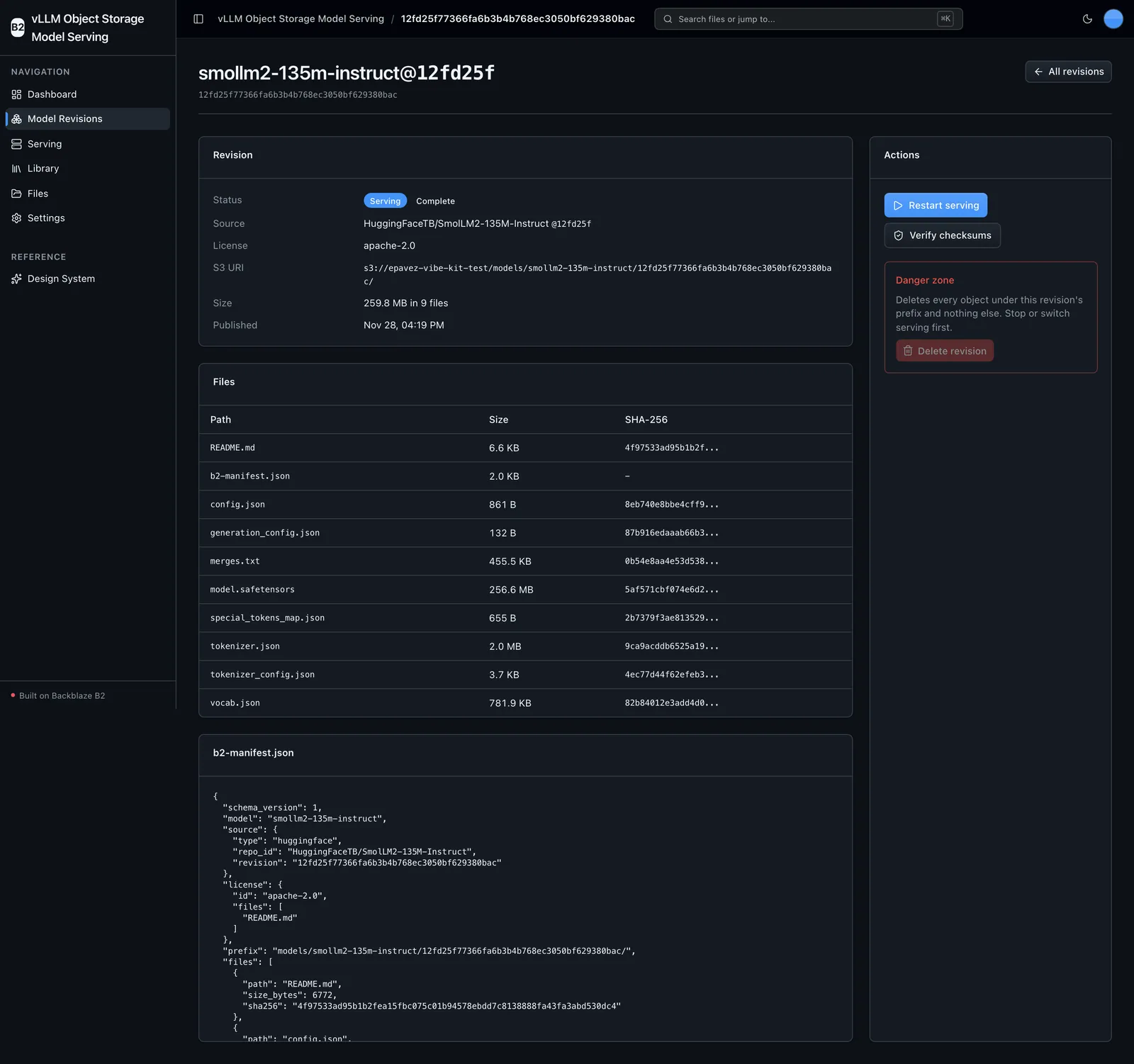
Publishes an open model at an exact 40-hex source commit to its own prefix, file for file, and writes a SHA-256 manifest last so an incomplete prefix is never served.
Real vLLM, weights streamed from the bucket
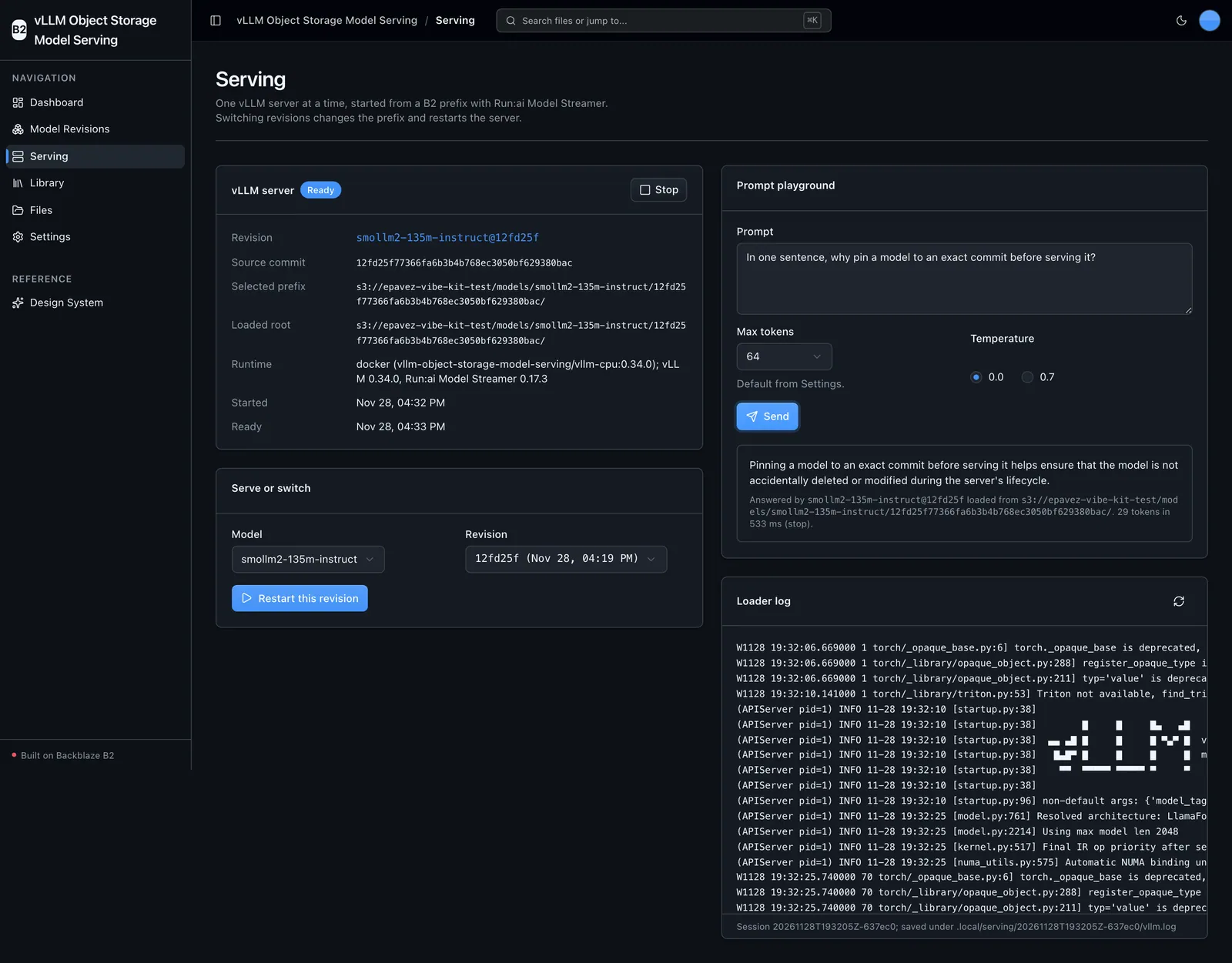
Runs vllm serve on an s3:// prefix with the Run:ai streamer load format, with no weight volume and no Hugging Face cache in the container.
Which revision answered
Readiness requires vLLM's /v1/models root to equal the selected s3:// URI, and every prompt result names the revision that produced it.
Revision switch by prefix
Picking another revision restarts the server on the new prefix and repeats the same checks; no files are copied.
Checksum verification
Re-reads every file of a revision from B2 and compares SHA-256 and size with the manifest. Only safetensors weights are published, never pickle formats.
Library, bucket explorer and dashboard
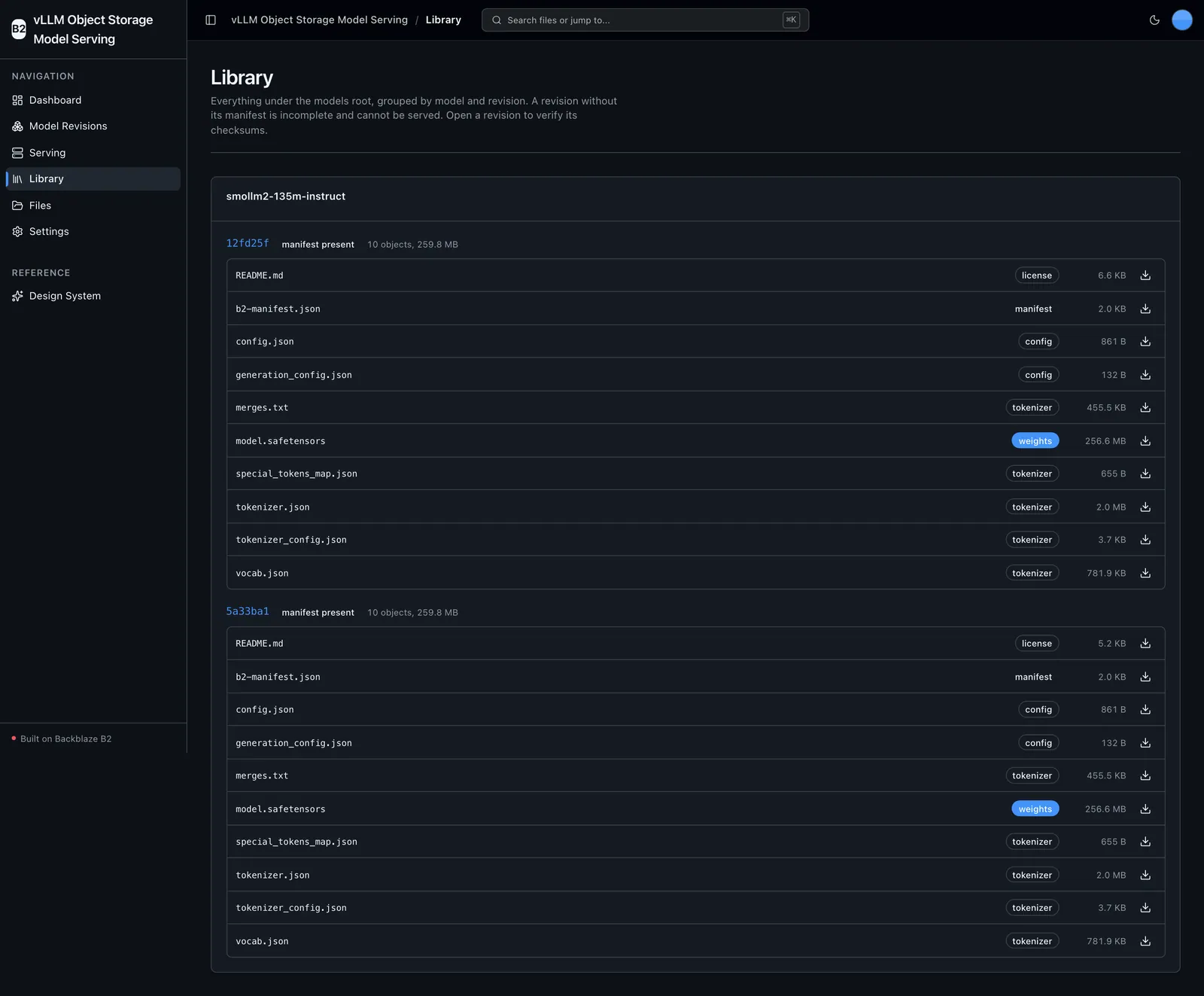
Browse models, revisions, files and manifests, preview or delete any object, and see stored bytes and serving state at a glance.
A closer look
More screens from the running project.
Choose it for the right job
vLLM Object Storage Model Serving is a head start for a specific shape of project, not a supported, general-purpose product.
Use it when
- You serve open models with vLLM and want each exact model version pinned to a source commit in a bucket you control.
- Serving hosts should load weights straight from object storage with only a read-only key and a prefix, without a mirror service or per-host copy step.
- You need to switch the served model revision and confirm which revision answered each prompt.
- You want SHA-256 checksums for every published model file and a way to re-verify them from storage.
Choose another path when
- You want to edit a published revision in place: revisions are immutable by design, so a change means publishing a new revision.
- Your clients expect the Hugging Face Hub API (from_pretrained or snapshot_download) and cannot take an s3:// path: a Hub-compatible mirror reached through HF_ENDPOINT fits better.
- You need every loader request attributed by user agent: the Run:ai native S3 client that streams weight byte ranges sends no app user agent.
- You want a validated GPU deployment or benchmark numbers: the validated path is the CPU container, the CUDA path is documented but not validated, and load times are not performance claims.
- You are working on training data, checkpointing or model registration rather than serving: see b2-model-training-reference-architectures.
Project status and support
Report defects and feature requests through the GitHub repository's issues; there is no SLA.