
IfcOpenShell BIM Archive
A full-stack BIM digital-twin archive for AEC teams. Create a project per building, ingest discipline-specific IFC models, and run IfcOpenShell locally to parse the entity tree, extract geometry to OBJ meshes, and analyze the model. Every source model and derived artifact is archived on Backblaze B2 via the S3-compatible API and indexed by a per-project manifest.
Built for: AEC data engineers, BIM managers, and AI/dev teams evaluating Backblaze B2 as the long-term store for IFC/BIM model archives with heavy derived-artifact fan-out.
What it's built with
Each piece of the stack, and the job it does in this project.
- Next.js 16 + React 19
- Web application and dashboard UI
- Tailwind CSS v4 + shadcn/ui + Recharts
- Design tokens, interface primitives, and charts
- TanStack Query
- Client-side data fetching, caching, dedup, and retries
- FastAPI + Pydantic v2
- Typed Python API and startup configuration validation
- IfcOpenShell (+ numpy, shapely)
- Local CPU-only IFC parsing, geometry meshing, and analysis
- boto3 + Backblaze B2
- S3-compatible object storage access
- pnpm workspaces
- TypeScript and Python monorepo workflow
Core capabilities
What the project does out of the box, before you write any code of your own.
Projects on B2, no database
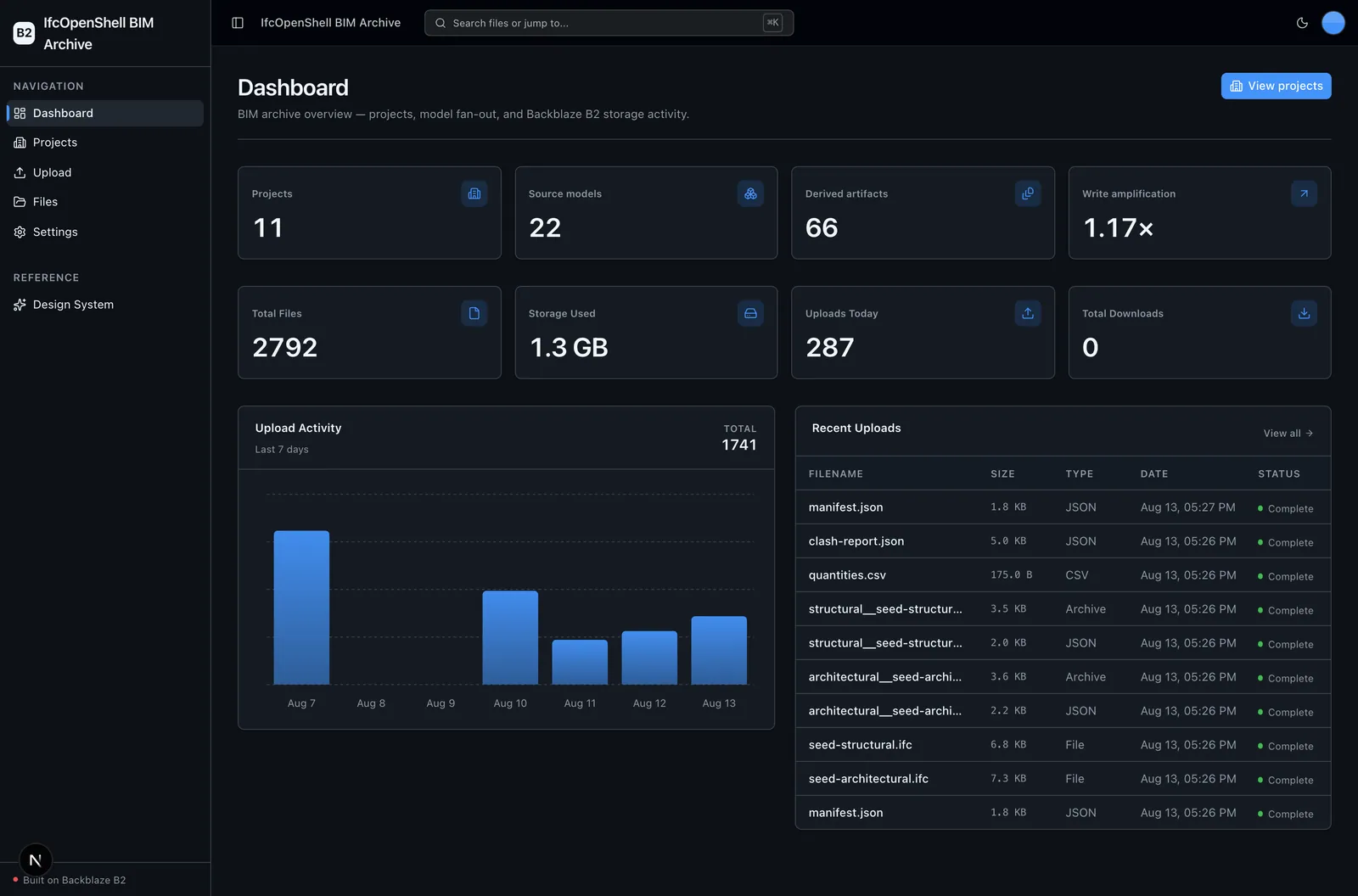
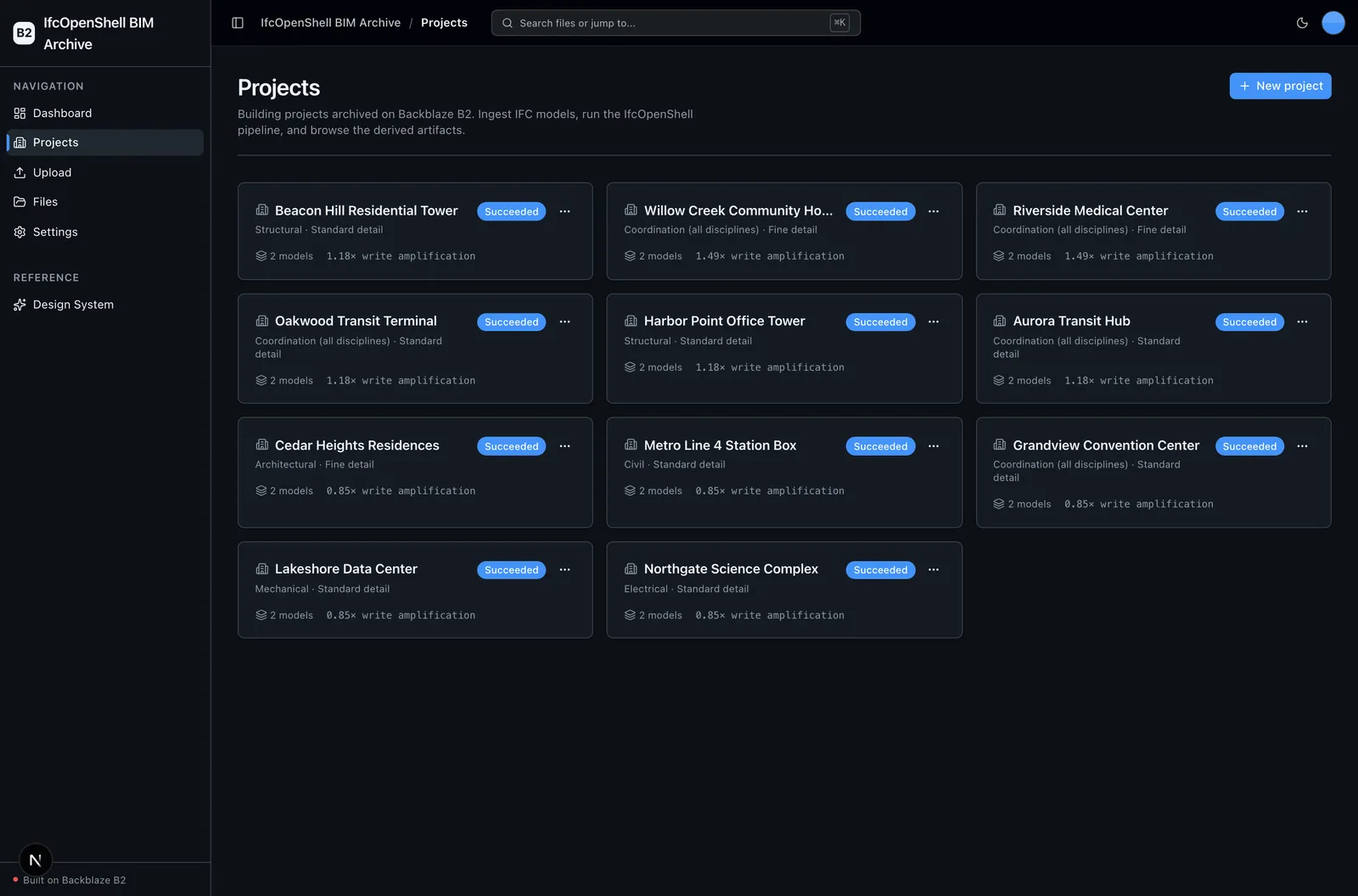
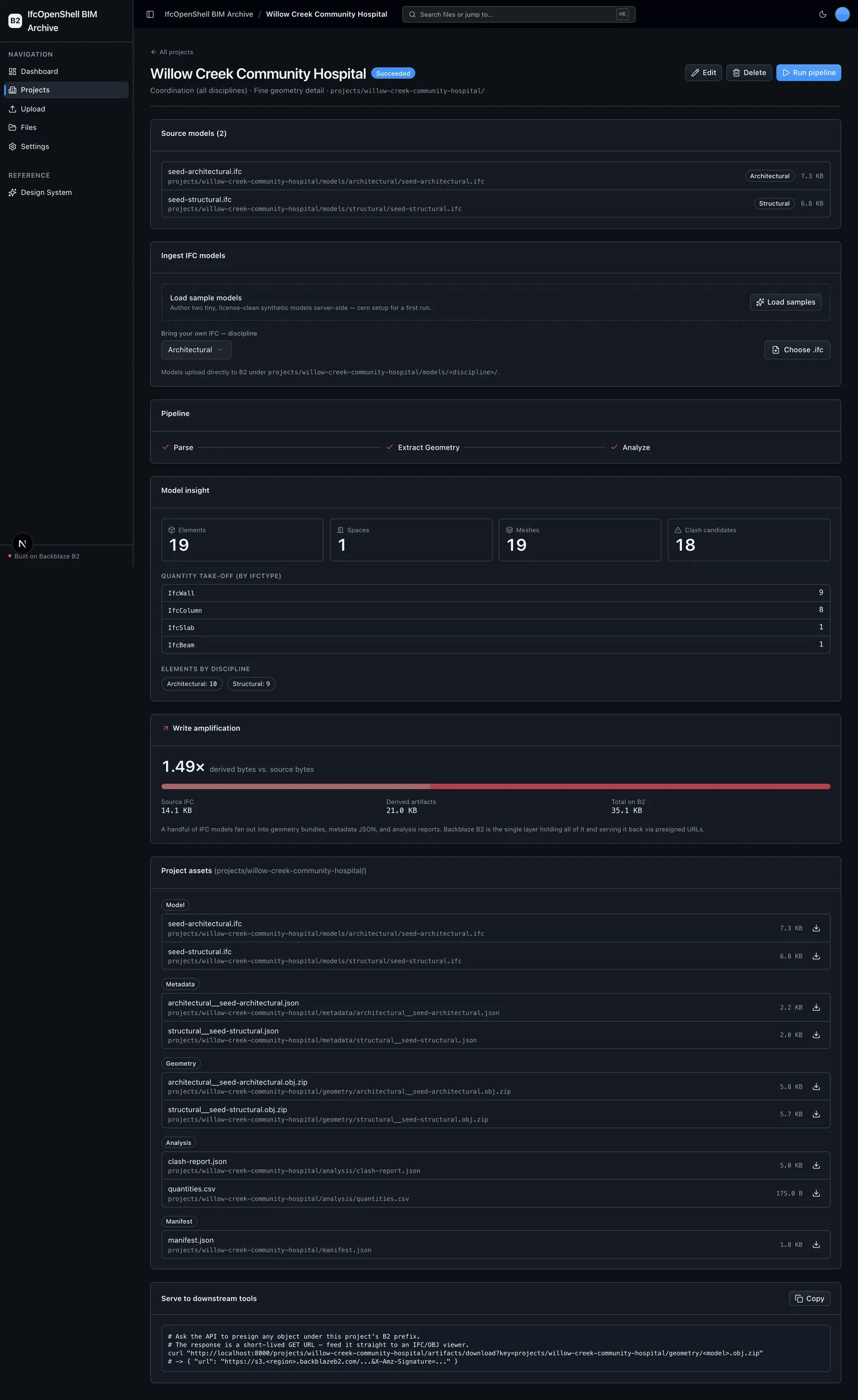
Create, browse, edit, and delete building projects. Each project is a Backblaze B2 prefix indexed by its own manifest.json, so there is no separate database to run.
Real IfcOpenShell pipeline
Parse the entity tree, extract geometry to OBJ meshes, and analyze the model (quantity take-off plus bounding-box clash candidates), run in an isolated subprocess with a hard timeout so a heavy native pass cannot wedge the API.
Live write-amplification accounting
See per-project and archive-wide source-versus-artifact bytes and ratio, measured live from B2, as a handful of IFC models fan out into geometry bundles, metadata JSON, and analysis reports.
B2 file explorer and direct upload
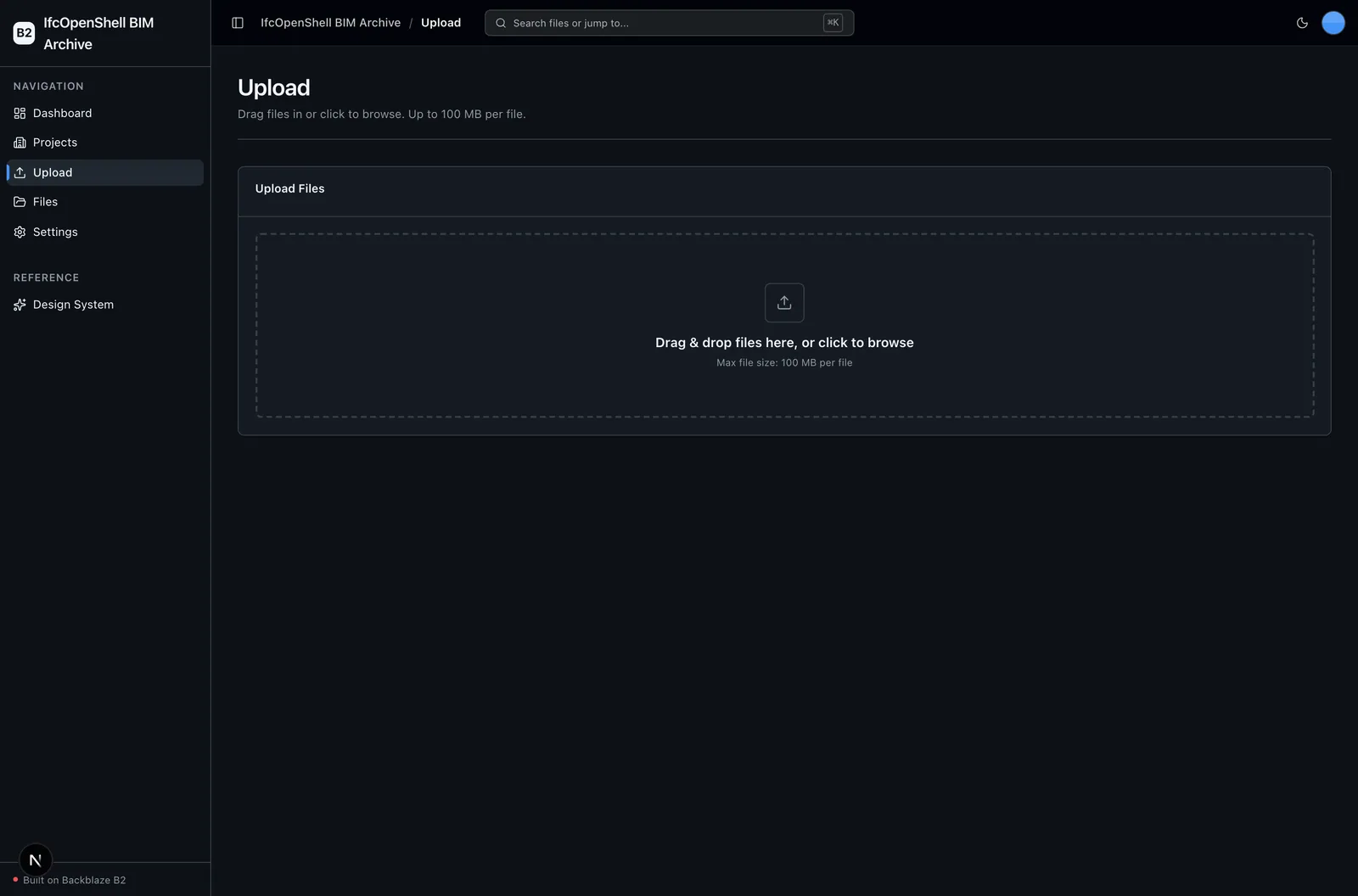
Browse the full bucket and a project-scoped asset explorer, and drag-and-drop files that presign a direct browser-to-B2 PUT, doubling as project model ingest.
Typed, agent-ready full stack
A Next.js frontend and a strictly layered FastAPI backend with a checked OpenAPI contract, structural tests, and agent-optimized docs make the sample safe to read and extend.
A closer look
More screens from the running project.
Choose it for the right job
IfcOpenShell BIM Archive is a head start for a specific shape of project, not a supported, general-purpose product.
Use it when
- You want a working reference for archiving IFC/BIM model sets and their heavy derived artifacts on Backblaze B2.
- You want a real local processing engine (IfcOpenShell parse, mesh, analyze) run per project and fanned out to B2, rather than a stub.
- You want to watch write amplification measured live as a few source models expand into geometry, metadata, and analysis artifacts that meet or exceed the source bytes.
- You want the geometry-detail setting to materially change output, with finer tessellation producing larger meshes and higher write amplification.
Choose another path when
- You need a supported, hosted BIM coordination platform or SaaS product; this is an unsupported sample with no SLA.
- You need production authentication, user accounts, multi-tenant isolation, billing, or on-call operations out of the box.
- You need production-grade clash detection; the clash pass is an axis-aligned bounding-box candidate check for demonstration, not a full engine.
- You need GLTF geometry export today; the pipeline extracts OBJ meshes only.
- You only need generic file uploads and browsing without a BIM engine, where the Vibe Coding Starter Kit is a simpler starting point.
Project status and support
Report repository defects and feature requests through the repository's GitHub Issues; this sample is provided as-is with no SLA.