If an AI agent deletes files on a work laptop, you can only restore them if a copy exists somewhere the agent couldn’t reach. That usually means an endpoint backup with version history, stored off the machine. Git, sync folders, and the Recycle Bin often won’t cover it.
The stories keep coming. Someone gives an AI agent access to their computer. It runs a cleanup command. Files disappear. If you manage laptops for your company or for clients, you’ll get that call sooner or later.
What are people reporting?
These are individual accounts and news reports. Causes vary and some details are unconfirmed. But the pattern shows up across tools and vendors.
- A Cursor forum user said an agent asked to clone a Git repository ran recursive delete commands and wiped files across the C: drive. He said he had no backup.
- Gigazine covered a Reddit report that Google’s Antigravity agent deleted the contents of a user’s drive.
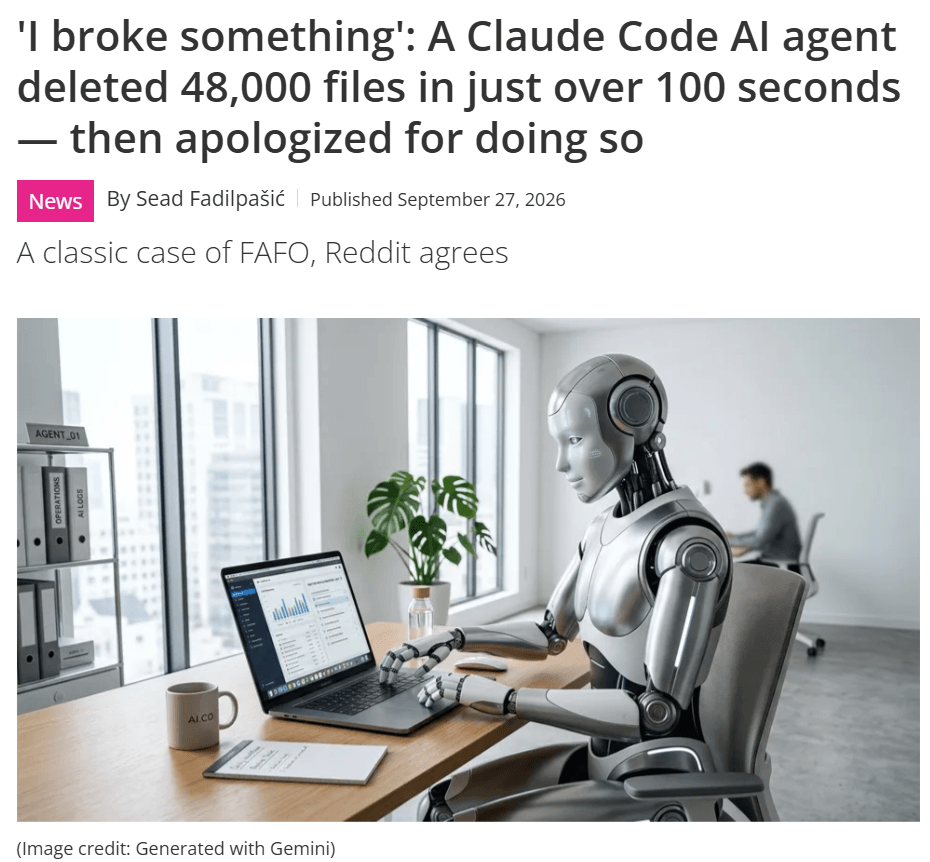
- TechRadar reported that a Claude Code agent deleted about 48,000 files in just over 100 seconds. The report says it mishandled Windows junctions and corrupted the repository’s Git object database.
- The AI Incident Database logged a report from Matt Shumer that an OpenAI Codex agent deleted most of the files in his Mac home directory during a cleanup task.
No single vendor owns this problem. An agent runs commands with the same permissions as the person who started it. If the user can delete it, so can the agent.
Most of these reports come from developers. But any employee who runs an agent on a company laptop has the same exposure.
Why don’t the deleted files show up in the Recycle Bin?
Often the delete command skips it. In the Antigravity report, the command used a quiet flag, so the files bypassed the Recycle Bin. Terminal deletes on a Mac work the same way. They don’t go to the Trash.
So the first place people look is empty.
Can Git, OneDrive, or Time Machine get the files back?
Sometimes. Not reliably.
Git only protects what you’ve committed. In the TechRadar case, the Git database itself was damaged. Uncommitted work, local config, and files outside the repo were never covered.
Sync tools like OneDrive and Dropbox mirror changes, and a deletion is a change. Recovery depends on your retention settings, and sync only watches the folders you point it at.
Time Machine or a NAS can work for one person who set it up and keeps the drive connected. Across a fleet, you can’t easily confirm it’s running.
What you want is a copy that lives off the machine, runs on its own and keeps older versions.
How do you reduce the risk first?
Backup is the last line of defense. Start earlier.
- Run agents in a sandbox or a separate user account, not the main profile.
- Require approval for any command that deletes.
- Keep agents out of home directories and shared drives.
- Make sure people know what a “full access” setting actually allows.
Those steps help. They won’t catch everything. Someone will approve the wrong prompt, or a tool will read a command in a way nobody expected. That’s when you need to restore.
What should you look for in an endpoint backup?
- It runs by itself. Users shouldn’t have to start it, and it should cover their main folders by default.
- Long version history. People often notice missing files days later, not minutes later.
- Admin control over restores. You decide who can restore what, from one console.
- Deployment through your MDM or RMM, so rollout doesn’t mean touching every machine.
- Pricing you can plan around. Per-gigabyte billing turns budgeting into a guess.
Where does Backblaze Computer Backup fit?
Backblaze Computer Backup with Enterprise Control is cloud backup for company laptops and desktops. A wiped laptop doesn’t take the backup with it.
Here’s what you get:
- Native Mac and Windows clients that back up automatically in the background
- One year of version history, plus retention of deleted files
- A central admin console with granular restore permissions
- Deployment through Jamf Pro, Iru (formerly Kandji), Addigy, and Microsoft Intune, with sign-on through Okta and Microsoft Entra ID
- Fixed per-license pricing, with no per-gigabyte charges
Some endpoint backup tools need servers or appliances you have to run yourself. Others bill by the gigabyte. Backblaze is cloud-only and priced per license, so there’s nothing to rack and no storage meter to watch.
What won’t endpoint backup do?
Backblaze Computer Backup gives you recovery points over time. It isn’t a live mirror of a project folder that changes every second.
So keep source code in Git. Keep limiting what agents can do. Use endpoint backup for everything else on the machine, and as the way back when a folder is gone and Git can’t help.
FAQ
Can you recover files an AI agent deleted?
If a backup ran before the deletion, yes. You restore the files from version history. Without a backup, your options are limited and results aren’t guaranteed.
Does endpoint backup replace Git?
No. Git tracks code changes and lets teams collaborate. Backup protects the whole machine, including files that never made it into a repo.
How far back can you restore?
Backblaze Computer Backup keeps one year of version history and retains deleted files.
Does it work with MDM tools?
Yes. You can deploy through Jamf Pro, Iru (formerly Kandji), Addigy, and Microsoft Intune.
Learn more
If you manage endpoints and want a recovery plan that doesn’t depend on the user or the agent behaving, see how Backblaze Computer Backup with Enterprise Control works.